PythonAnywhere is an online platform that can be used for:
Most importantly, PythonAnywhere offers a fully functional free trial for hosting, with HTTPS support that can be enabled with just one click.
Even better, it provides a managed MySQL database that you can use for your applications.
Of course, the free version has limited functionality, but it is still enough to create interesting projects and share them with friends or colleagues without paying anything.
If you want more flexibility without moving your infrastructure to another platform, the Hacker subscription plan is worth considering. For only 5 euros per month, it adds many useful features.
This is not a promotional article, but a brief introduction to PythonAnywhere can provide helpful context. You can find more information about pricing and plans here.
It’s also important to note that PythonAnywhere operates two separate platforms for different regions:
If you are located in the EU or nearby (for example, in Armenia), using eu.pythonanywhere.com can offer better performance due to reduced latency.
Without further delay, let’s continue.
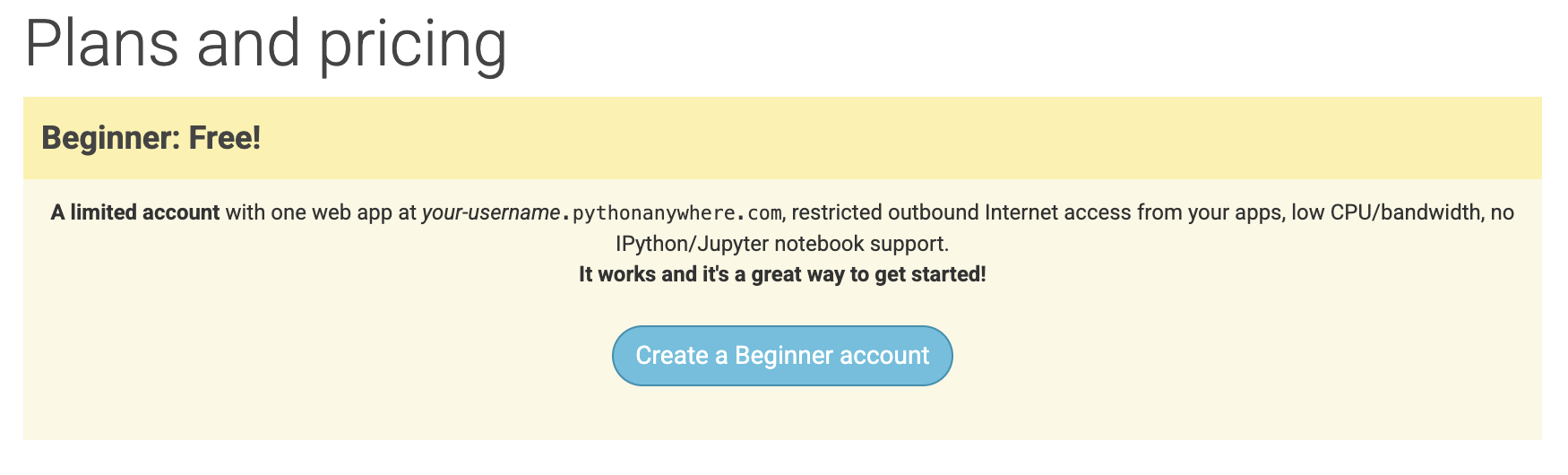
Go to either EU PythonAnywhere Pricing or US PythonAnywhere Pricing and click the “Create a Beginner account” button.
After successful registration, you’ll be taken to a dashboard like this:
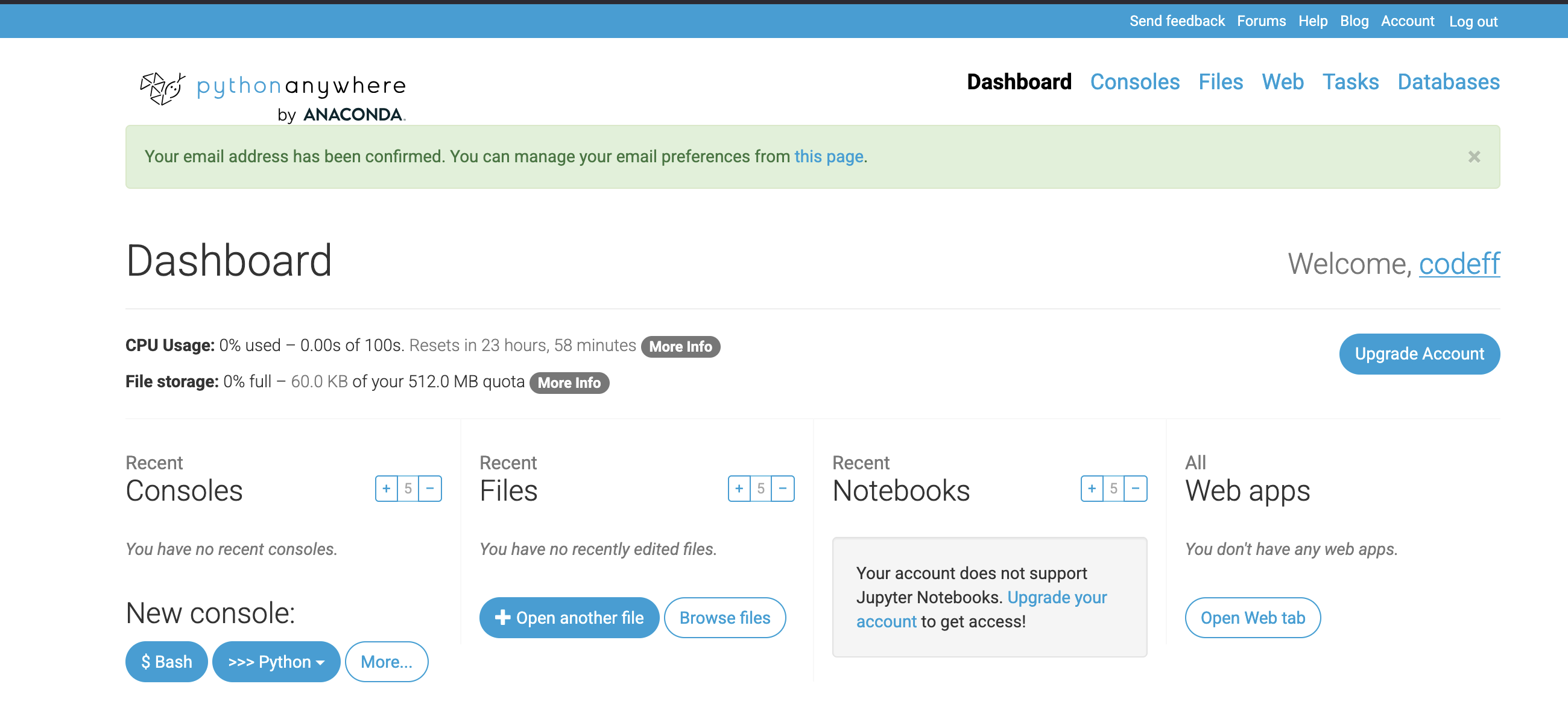
Navigate to the Web tab and click Add a new
web app.
You will be guided through some options for the initial setup of your
environment (files, configurations, etc.).
In this demo, we will choose Flask as the Python web
framework.
Then, select the latest Python version (at the time of writing, Python
3.13).
After completing all the steps, you’ll see something like this:
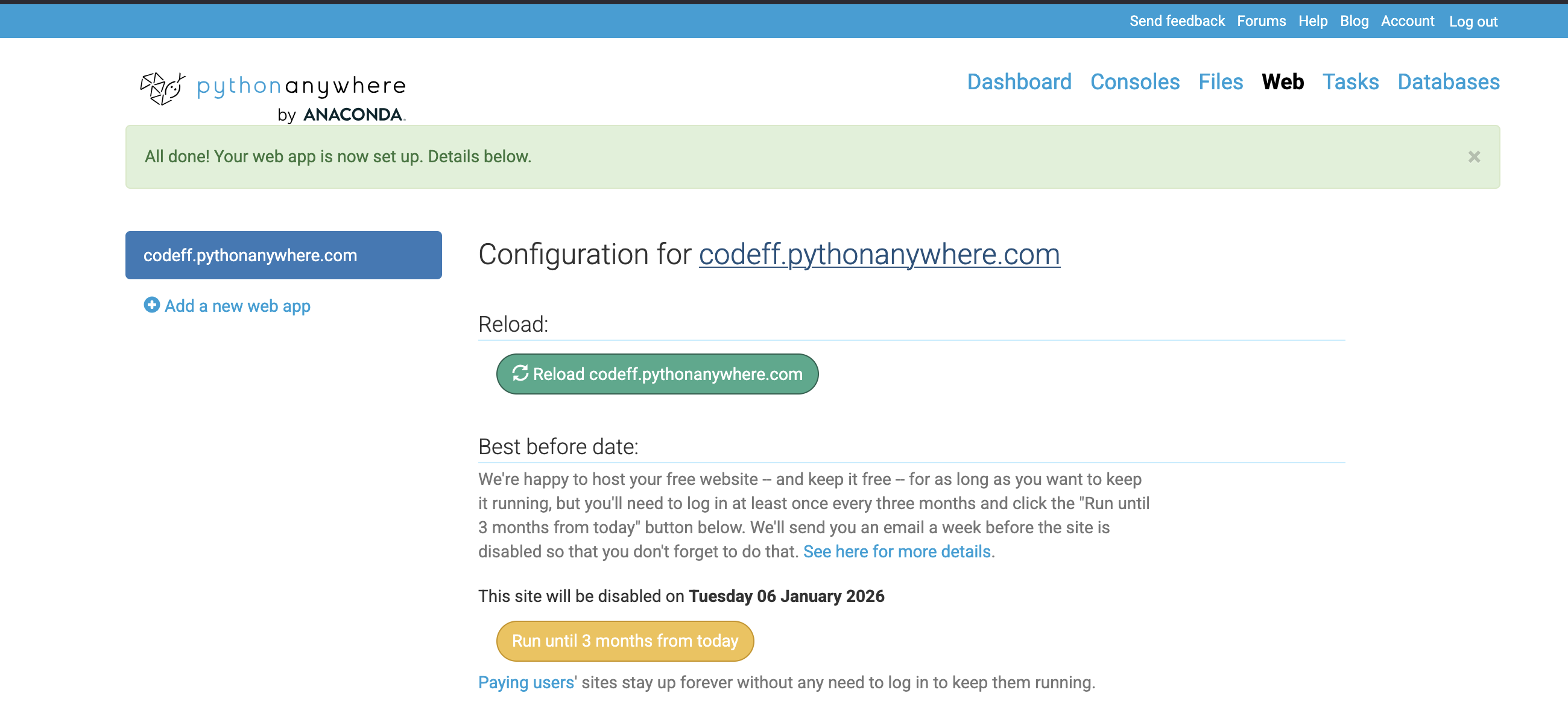
Congratulations! You have hosted your website for free with minimal effort.
Click the link (e.g., codeff.pythonanywhere.com) to see
your web application:

PythonAnywhere provisioned a subdomain under their
domain using our account username.
It also activated free TLS certificates (HTTPS) via
Let’s Encrypt.
Let’s Encrypt is a free, automated, and open certificate authority that makes HTTPS easy and secure.
Stay tuned for the next article, where we will explore additional configurations PythonAnywhere applied for us and show how to extend the setup to build a custom website.
Liked this article? Follow us on LinkedIn and give the post below some love 👇